Tape hiss, traffic and AC noise, even old phone lines. Sound Cleaning removes ambient noise and echo while preserving the voice as it was spoken. One button, one file.
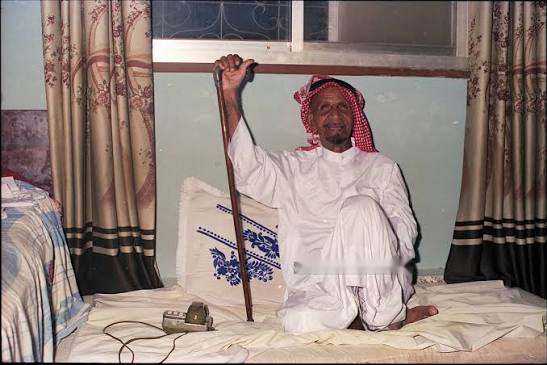
Rashid bin Tannaf bin Fayez bin Saeed was born in 1910 in Al Dhaid, Sharjah. He lost his father early, was raised by his maternal grandfather, and memorised the Quran before he could write. At seventeen he went to sea as a pearl diver and stayed thirty years; later he quarried coral stone for houses. He turned to poetry at twenty-five.
His Nabati verse was half desert, half coast, with a port's worth of English words slipped in, and it was funny. Wisdom carried by a joke. But what made him famous was the voice: the delivery, the pause, the punchline dropped between two lines. Radio and television carried it through the 1970s and 80s, and his majlis in Al Ramla, Sharjah, filled every night.
He published Sada al-Wona in 1984 and Ahwak in 1997, followed by Diwan Tannaf in 2018. In 2009, Emirates Post issued a stamp bearing his image. He died in 2000, and most of his legacy survives on tape: his words as he spoke them, in his voice, with all the surrounding noise. This page preserves his voice and removes that noise.
Archive notes
* Facts checked against Al Ittihad, Al Khaleej, Al Bayan, Emirates Post and Arabic Wikipedia. Sources disagree on tribe (Al Kaabi / Al Nuaimi) and death year (1999–2001).
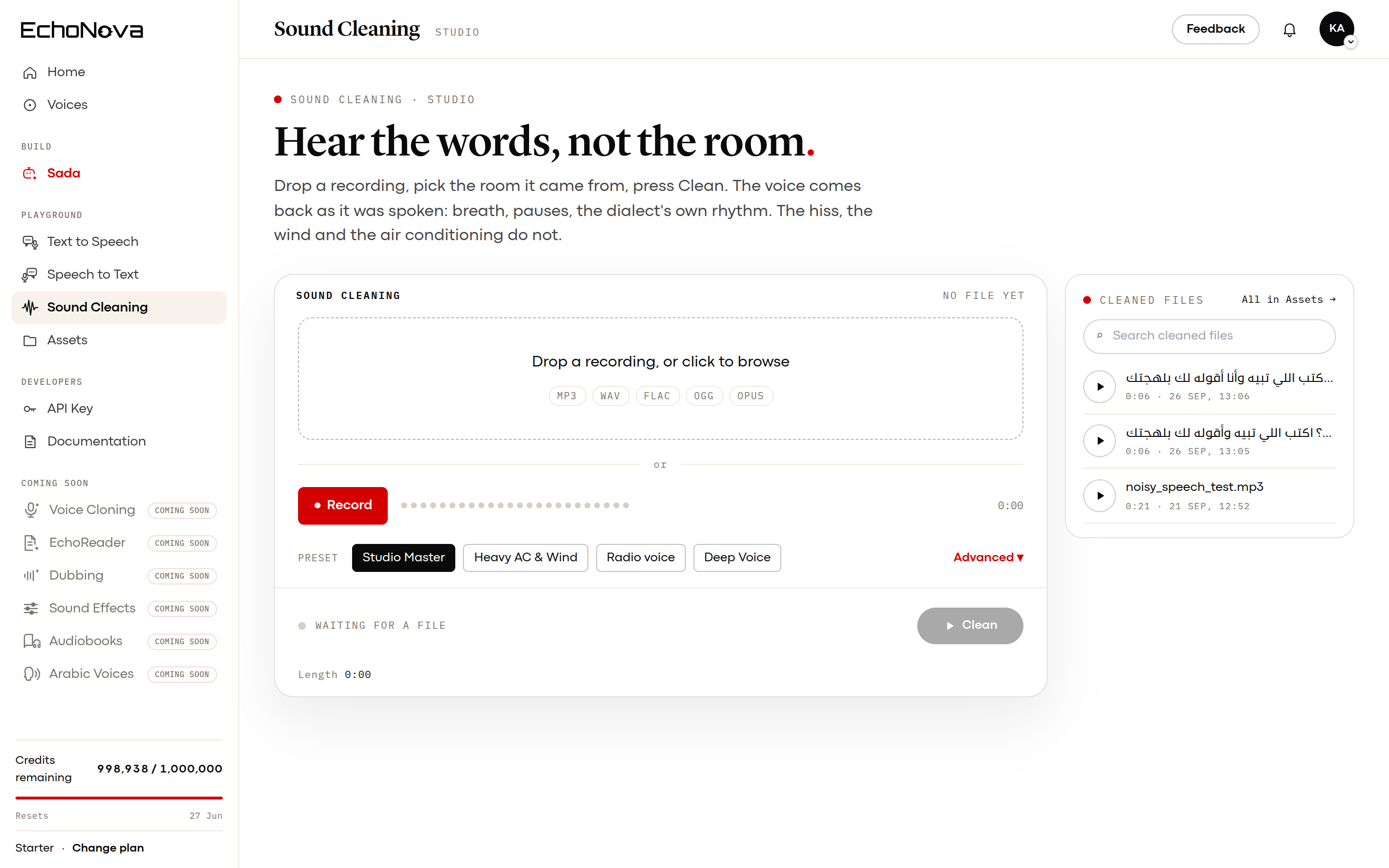
Actual product interface: Sound Cleaning, with four presets and an advanced control panel.
For the people who work with sound
Presets for everyone. Parameters for the ones who care.
Most audio cleaning tools give you one slider and a promise of improvement. But sound engineers, podcasters, archivists and voice artists want to know what actually changed. Advanced cleaning reveals the eight settings behind each preset, from low-frequency reduction to loudness and dynamic range. Each change appears in red, and you hear its effect on the raw recording as you move the slider.
Developed with professionals who spend their day wearing headphones. Set the target loudness for your podcast or platform. Raise the low-frequency filter to counter wind noise, or lower it to preserve the depth of a voice. Control the dynamic range for a quiet reading or a majlis with overlapping voices. Your ears are the judge.
Raise it to reduce wind or AC noise. Lower it to preserve deep voices.
Controls how gradually low frequencies are reduced. Rarely needs adjustment.
Loudness
-16 for podcasts and video, -14 for music platforms, -18 for background speech.
Stops crackling and clipping. Keep at -1.
Dynamics
Lower for wild volume swings. Raise for dynamic speech.
2 gentle, 4 broadcast, 6 aggressive radio voice.
How fast loud syllables are tamed. Keep at 5 ms.
How fast volume returns to normal. Keep at 50 ms.
Preset · Studio Master
Result ·
The effect of your settings on the tape
Raw
–
Cleaned
–
Low cut
–Gain
–Audio compressor
–Peak limiter
–
Press ▶ Hear it, then move any slider. This line tells you what the change does to the tape.
The dots represent the sound, frequency band by frequency band: low frequencies on the left, high frequencies on the right. The Raw recording row shows the tape as recorded, while the Cleaned audio row shows the result after applying your settings. Use Raw recording / Your settings to switch between the two.
Presets
Four presets. One button.
Pick the room the recording came from. The model removes what does not belong and keeps the voice whole: breath, pauses, the dialect's own rhythm. Up to 1 hour per file.
Coming Soon# python, a preview of the Sound Cleaning APIfrom echonova import EchoNova
client = EchoNova()
clean = client.audio.clean(
audio="tannaf_1980s.mp3",
preset="radio", # studio, wind, radio or deep
)
clean.save("tannaf_clean.wav")
text = client.stt.transcribe(clean)
Security & sovereignty
Developed in the UAE. Your audio recordings stay here.


 Speech to Text
 Text to Speech